
Star Similarity
Image to image · 9:16
Prompt
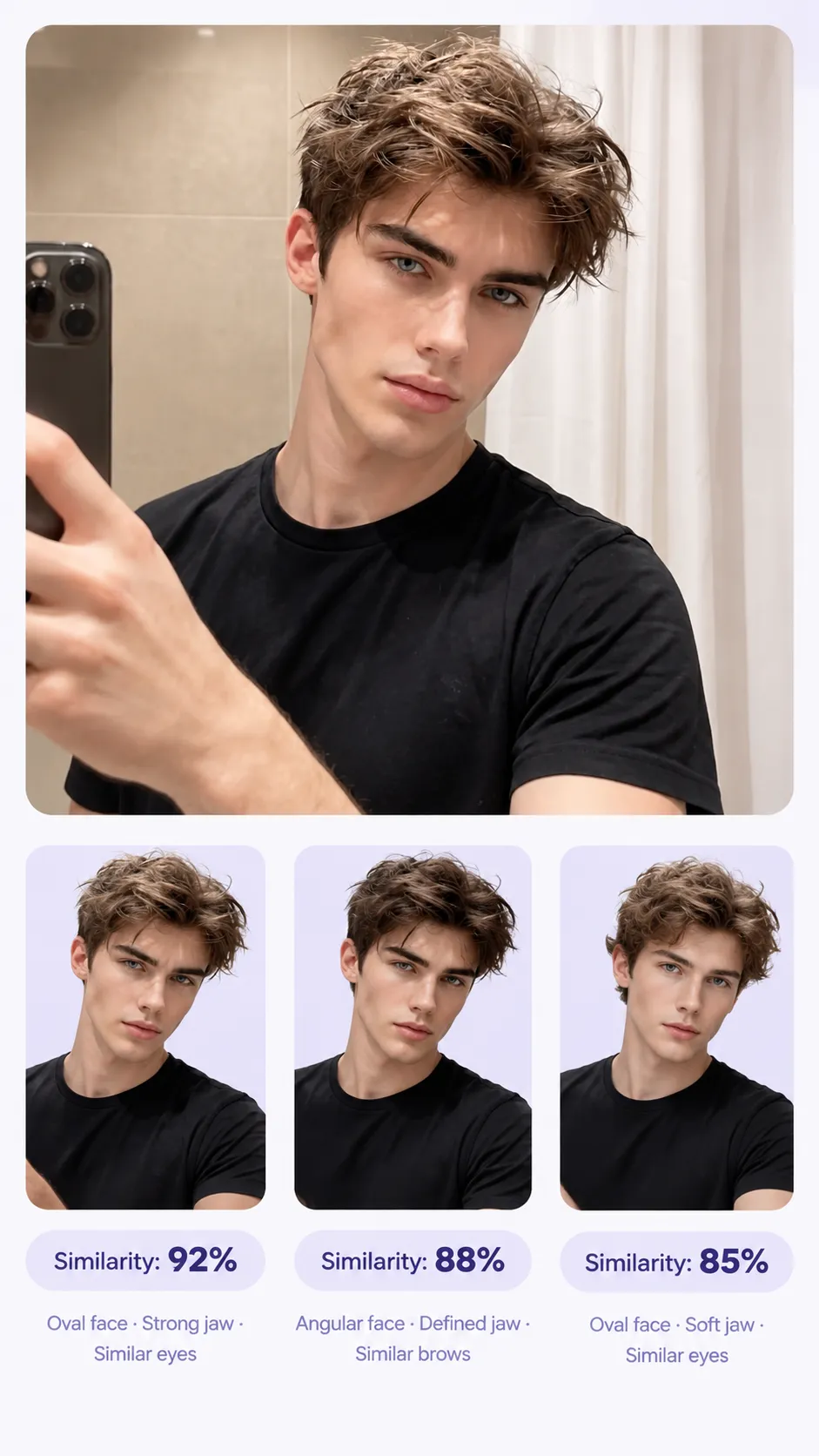
Example image generated from this prompt.
Examine the uploaded photo and analyze the person's facial features, face shape, proportions, eyes, nose, lips, and jawline. Identify the 3 closest celebrity look-alike matches based on visible facial characteristics.

Create a **single minimalist 9:16 vertical mobile-friendly comparison image**.

**Layout:**

* Keep the user's original photo as the main reference image at the top.
* Crop the user photo into a natural **half-body portrait**, with the upper torso visible.
* Place the 3 celebrity matches below in a clean, compact vertical layout.
* Show each celebrity as a **half-body portrait**, using similar framing, scale, and pose direction as the user's photo.
* Make the user's image noticeably larger than each individual celebrity match.
* Use a subtle **light-purple visual theme**.
* Optimize all text and elements for easy readability on a smartphone screen.

**Under each celebrity portrait, show only:**

* Similarity: XX%
* 2–4 short feature keywords, such as "Oval face · Soft jaw · Similar eyes"

**Visual style:**

* Clean, modern, minimalist mobile UI
* Strong visual hierarchy
* Generous spacing
* Large, readable typography
* Simple white or very light background
* Subtle light-purple accents only

**Important:**

* Preserve the user's original facial appearance and identity.
* Do not remove, replace, distort, beautify, or alter the user's original photo.
* Do not use close-up headshots.
* Keep all portraits at a consistent half-body framing.
* Do not add decorative graphics, complex UI panels, borders, icons, charts, or unnecessary elements.
* Do not include celebrity names unless necessary.
* Do not add any text beyond the similarity score and brief facial-feature comparison.
* Keep the entire composition highly legible when viewed on a smartphone.
* Prioritize the user's photo, celebrity portraits, and comparison results over decorative design.
This case needs 1 input image. Upload your own in the studio.
Prompt supplied by the project owner.