10 free credits for new users

AI Text to Image Generator

Describe a scene, character, product, or poster in plain words and turn it into an image in seconds. Choose a model, aspect ratio, and resolution; pay only for what you create.

No design skills neededMultiple AI modelsAutomatic credit refunds on failure

Text to image examples

Prompts you can try right now

Each image below was created from a text prompt alone. Open one in the studio, then change the subject, style, or framing to make it yours.

Browse gallery
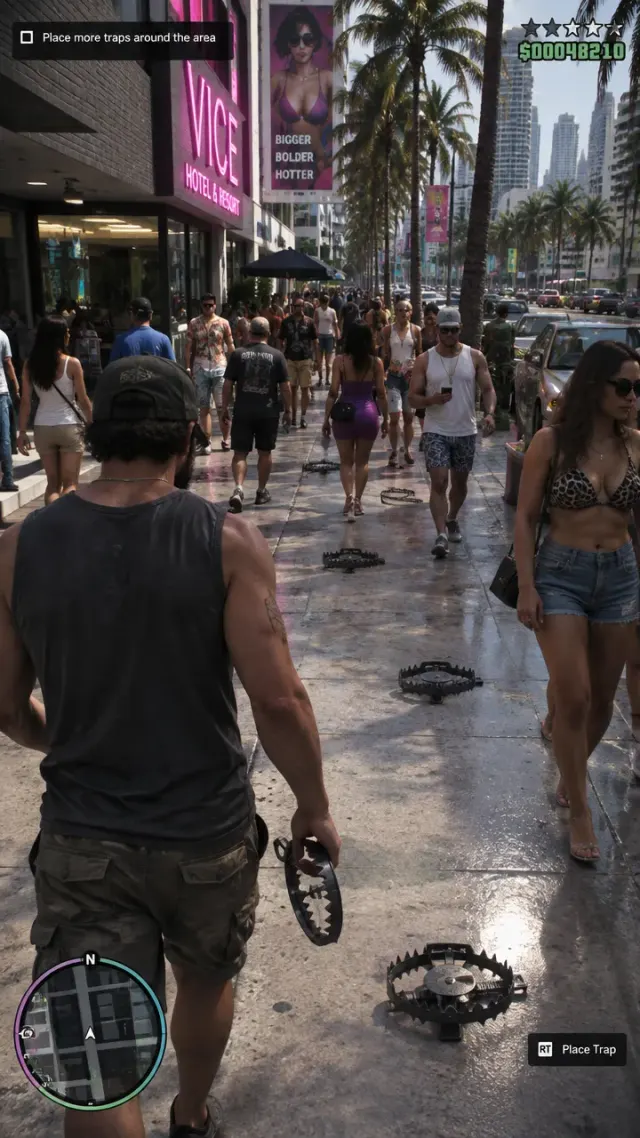
GTA-6 Game Style

GTA-6 Game Style

A realistic open-world crime game scene inspired by GTA 6, the male protagonist casually walking through a busy city sidewalk filled with pedestrians, secretly placing multiple metal animal traps on the ground in the middle of the crowd, several traps already scattered along the pedestrian path, people walking around without noticing, cinematic third-person gameplay camera, detailed urban environment, realistic lighting, dark comedic tone, highly detailed video game graphics

Use this prompt
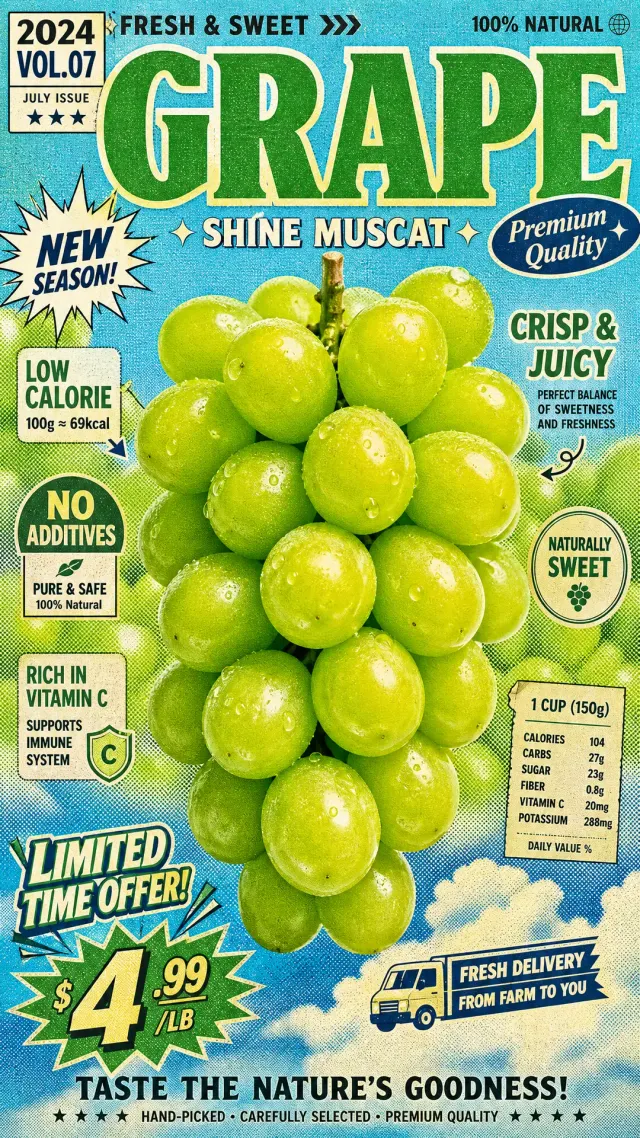
Fresh Grape Promo Poster

Fresh Grape Promo Poster

A vertical product promotional poster, the visual center is a bunch of fresh, plump shine muscat green grapes with a realistic texture, natural gloss and highlights on the surface, delicate and true details, occupying the core position of the screen. The scene is set as a vintage magazine graphic layout, simulating a Y2K food advertisement scene: the upper half is a bright light cyan-blue background, the middle layer is a repeated array of green grapes with a halftone dot effect, and the lower half is a blue sky and white clouds pattern with a halftone dot texture. Combined with vintage poster hierarchical text elements: huge bold English title "GRAPE" at the top, and product selling point text (such as low calorie, no additives, nutrition info, price, etc.), mixed Chinese and English typography, bold sans-serif font, scattered in different sizes around the screen, the year and issue number are marked in the upper left corner, with arrows and decorative small icons. Style reference: Y2K millennial vintage style, American halftone printing texture, 90s screen printing advertisement style, pop art trendy poster, high information density layout similar to food magazines, with a grainy vintage magazine scanning effect. Tonal colors: high saturation emerald green + bright light cyan-blue + white/light accents, strong contrast, vivid and retro colors, the entire screen is covered with a uniform halftone dot texture, with a vintage printing grain texture, high contrast, strong visual impact. Composition perspective: vertical central symmetrical layout, the main subject is in the dead center of the screen as the absolute visual focus, text elements are staggered and distributed around the screen (top, sides, bottom) for a balanced and dynamic composition. Detail supplement: subtle retro printing noise added to the entire image to enhance the sense of age, a strong texture contrast between the realistic subject and the halftone background, clean and clear image, strong sense of poster design.The text in the image is all in English.

Use this prompt
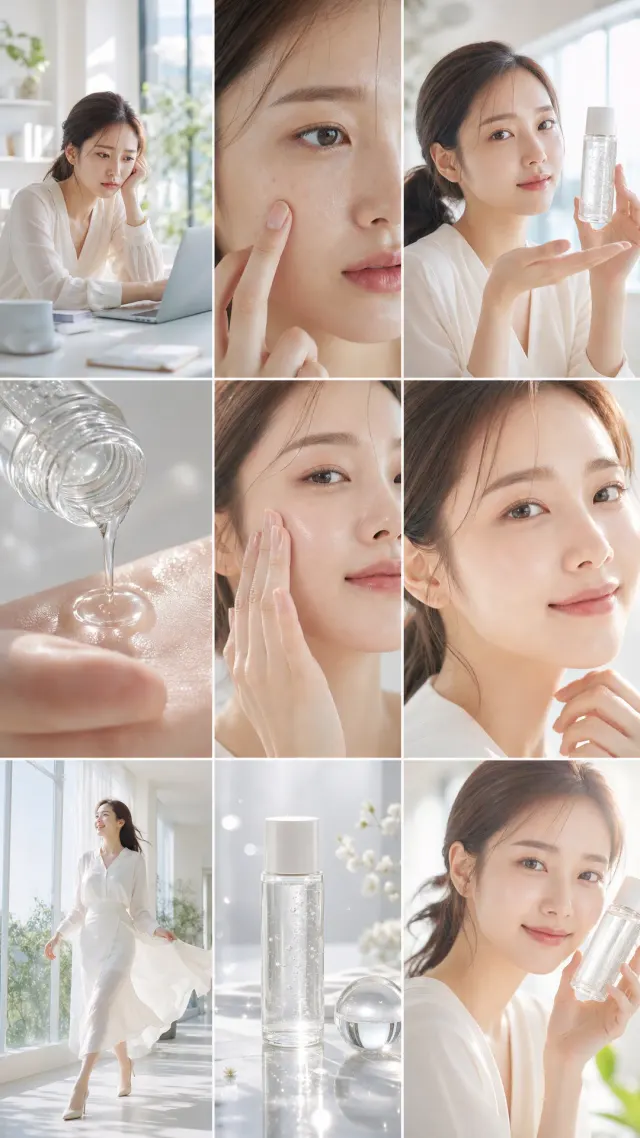
Skincare Ad Storyboard

Skincare Ad Storyboard

Create a clean, bright skincare commercial storyboard in a 16:9 layout with 9 panels. Use soft natural lighting, minimal aesthetic, and a fresh, airy mood with white and pastel tones. The main character is a young woman with soft makeup and styled hair, wearing light, elegant clothing. The setting is a modern, sunlit interior with large windows and a calm atmosphere. No text or subtitles anywhere. Show a clear story flow: she starts at her desk looking slightly tired or concerned, then a close-up of her face showing dry or dull skin. She discovers a clear skincare bottle and gently presents it. Show a close-up of the liquid pouring onto her hand, followed by her applying it to her face. After use, her skin looks hydrated, glowing, and smooth. Transition to her feeling confident and refreshed, walking in a bright, clean space with soft breeze and flowing elements. End with a calm product beauty shot on a minimal surface, then a final frame of her smiling softly at the camera while holding the product. Focus on natural expressions, glowing skin, and a transformation from dull to fresh. Include cinematic close-ups, soft focus, light reflections, and subtle sparkles to enhance the clean beauty feel. Keep everything elegant, minimal, and visually soothing with no branding text.

Use this prompt

How to turn text into an image

From prompt to picture in three steps

No uploads required. Everything starts with a short description of what you want to see.

  1. Step 01

    Describe your image

    Write the subject, setting, style, lighting, and mood. Start from a template if you want a proven prompt to adapt.

  2. Step 02

    Pick a model and format

    Choose a model such as Nano Banana or GPT Image, then set the aspect ratio and resolution. The credit cost is shown before you create.

  3. Step 03

    Generate and download

    Sign in and generate. Download the result or tweak the prompt and try another variation.

No subscriptionCredits refunded on failurePrivate by default

Choose your starting point

Text to image or image to image

Both modes use the same studio. The difference is whether you begin with a written idea alone or add images to guide the result.

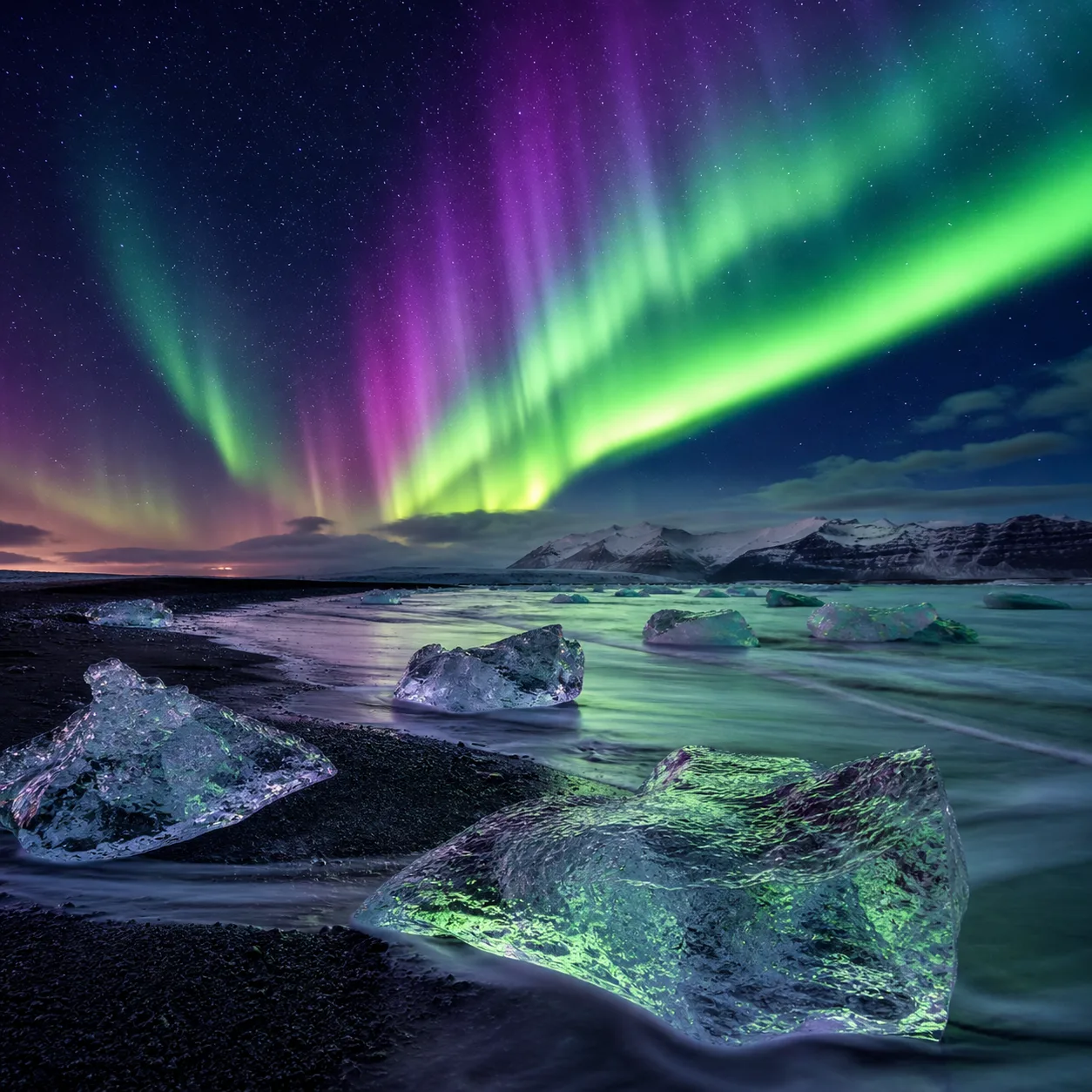
Northern Lights over Iceland

Text to image

When you have an idea but no starting image.

Your input: a description

Describe green and purple Northern Lights dancing over an Icelandic landscape at night.

Describe the subject, setting, lighting, and style; then choose the image size and generate.

Explore this mode
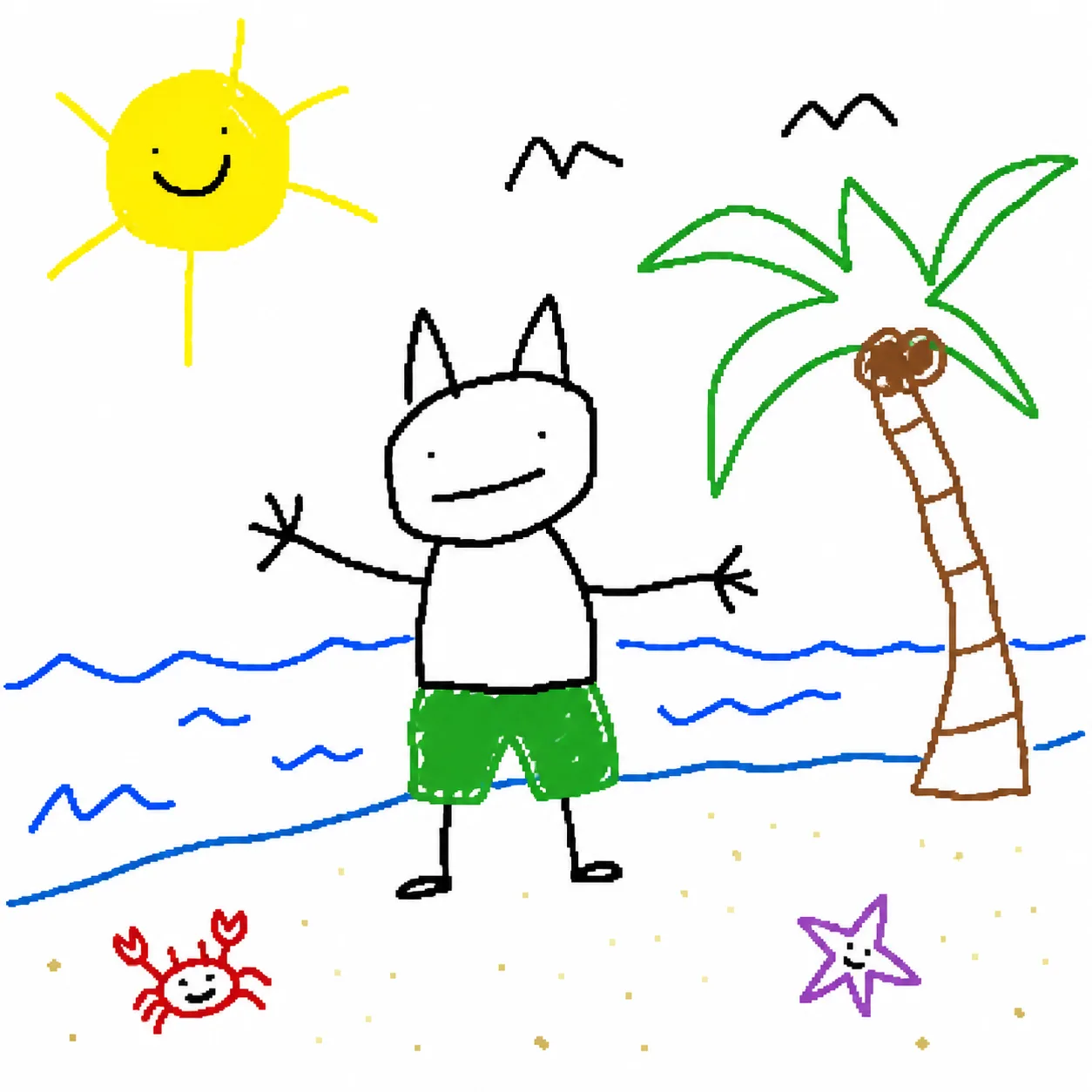
Clumsy MS Paint Redraw

Image to image

When an existing subject should guide the new image.

Your input: reference images + instructions

Upload an image and ask for a clumsy, scribbly redraw in the style of MS Paint.

Upload reference images, describe what to keep or change, and generate a new interpretation.

Explore this mode

Text to image FAQ

Questions about AI text to image

What to know before you turn your first prompt into an image.

What is an AI text to image generator?

It is a tool that creates a new image from a written description. You type a prompt such as "a cozy reading nook at sunset, watercolor style" and the AI model draws an image that matches it.

Is the text to image generator free?

New users get 10 free credits after signing in, enough to try several generations. After that you buy credit packs as needed; there is no subscription.

How do I write a good prompt?

Name the subject first, then add the setting, art style, lighting, camera angle, and mood. Specific details such as materials, colors, and composition usually give more predictable results than abstract words.

Which AI models can I use?

You can choose between Nano Banana and GPT Image models. Each model has its own strengths and credit cost, which is shown before you generate.

Can I use the images commercially?

You can download and use images you create, subject to our Terms and the policies of the underlying model provider. Avoid prompts that copy trademarks or real people without permission.

Can I add a reference image instead of only text?

Yes. Switch to Image to Image to upload one or more reference photos and describe how to change them.

Turn your next idea into an image

Sign in to get 10 free credits. No card required.

Start with a prompt

nanopixel.app

Sign in to keep your creations and credits synced.

By continuing, you agree to our Terms of Use and Privacy Policy.